Electronic theft of EBT benefits remains a nationwide crisis, with millions of dollars stolen from EBT accounts each day. In response, South Carolina DSS is strengthening fraud prevention measures to protect SNAP recipients.
The South Carolina Department of Social Services (DSS) is implementing enhanced fraud prevention measures to better protect Supplemental Nutrition Assistance Program (SNAP) recipients and their benefits.
To strengthen fraud protections, DSS will begin blocking all out of state and online EBT transactions. Effective Tuesday, April 28, 2026, all South Carolina EBT cards will automatically be placed in a “Block High Risk Transactions” status. Cards in this status will not be able to complete purchases outside South Carolina or online. All in-state EBT purchases will continue to process normally at authorized EBT Retailers.
EBT cardholders will still have full control over their accounts. If an South Carolina EBT cardholder needs to make an out of state or online purchase on or after April 28, 2026, they must temporarily unlock their card using the EBT Cardholder Portal (ConnectEBT.com), the ConnectEBT Mobile App, or by calling EBT Customer Service. For instructions on how to unlock your SC EBT card for out-of-state or online purchases click HERE.
If you were a victim of electronic theft and had SNAP benefits stolen from your current EBT Card, Please ACT NOW and CANCEL your SC EBT card IMMEDIATELY:
Call the 24-hour toll-free customer service line at 1-800-554-5268 to cancel your EBT card and protect your benefits.
How to Protect My SNAP/EBT Benefits:
Important Notice About Replacement EBT Cards
If you receive a replacement EBT card, you will be required to create a new Personal Identification Number (PIN) before using your card.
For your security purposes, your previous PIN will not transfer to the replacement card.
You can set your new PIN by:
- Calling the EBT Customer Service number listed on the back of your card.
- Using the ConnectEBT mobile app or South Carolina EBT Cardholder Portal.
Protect your Benefits by:
- Use the ConnectEBT mobile app (click the links for iphone and android users) and/or the South Carolina EBT Cardholder Portal
- Maintain the High Risk Transaction Blocking on your SC EBT account: Both the ConnectEBT mobile app and the South Carolina EBT Cardholder Portal have the option to unlock your SC EBT card for use outside the State of South Carolina and for online transactions. If/when a SC EBT card is unlocked, be sure to select an auto-re-lock (30, 60, or 90 minute re-lock) option to maintain the High Risk Transaction blocking. For instructions on how to temporarily unlock your SC EBT for use outside of South Carolina or for online transactions, click HERE.
- Set ALERTS on your SC EBT account to be alerted via text or email of any new transactions and/or Account Changes. Instructions on how to set ALERTS on your SC EBT account can be found HERE
- Keep your SC EBT PIN PRIVATE; do not share the PIN or write it on the SC EBT card.
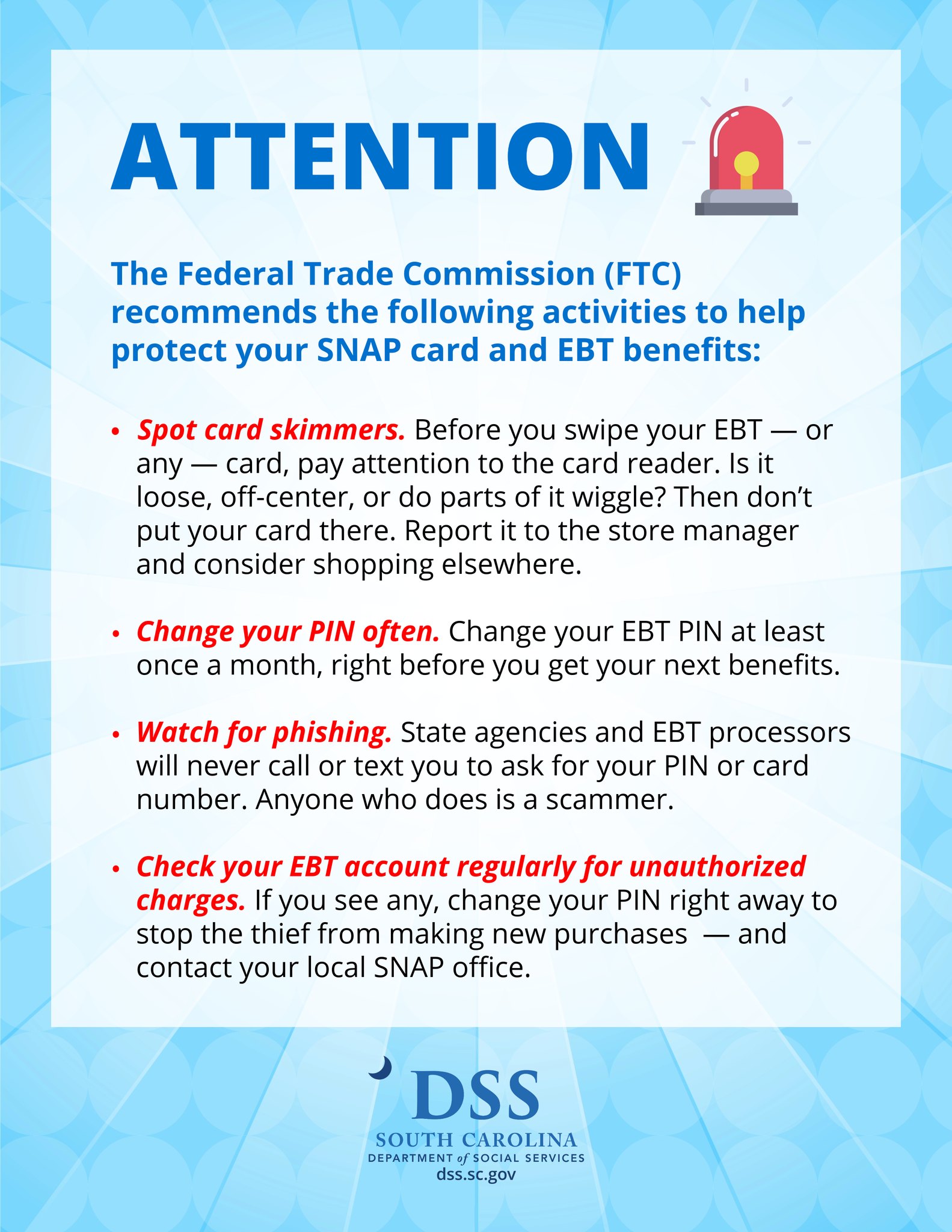
- Change your PIN often.
- Avoid using consecutive/sequential or repeating numbers for your PIN.
- Change your PIN frequently; at least once a month, right before you get your next benefits.
- DSS staff and EBT Customer Service Representatives will never ask for your PIN.
- BE VIGILANT:
Look for card skimmers. Before you swipe your SC EBT card, or any card, pay attention to the card reader. Is the card reader loose, off-center, or do parts of it wiggle? If so, DO NOT SWIPE your card and report this to the store manager and consider shopping elsewhere.
- Limit ONLINE shopping. EBT electronic theft can/does occur following an online purchase with your EBT card.
- Watch for PHISHING. State agencies and EBT processors will NEVER call or text you to ask for your EBT PIN or card number. Anyone who does is a scammer.
- Call SC EBT Customer Call Center:
- If you experience electronic theft of your SNAP EBT benefits, call 1-800-554-5268 to order a replacement card.
- To report your SC SNAP EBT card lost, stolen or damaged.
PLEASE NOTE: There is no guaranteed way to eliminate the risk of electronic theft of your EBT benefits.